Build with AI.
Stay in control.
Give Mars a goal. It plans, edits and tests your project in plain view, asks before anything risky and shows what every run cost.
 New session
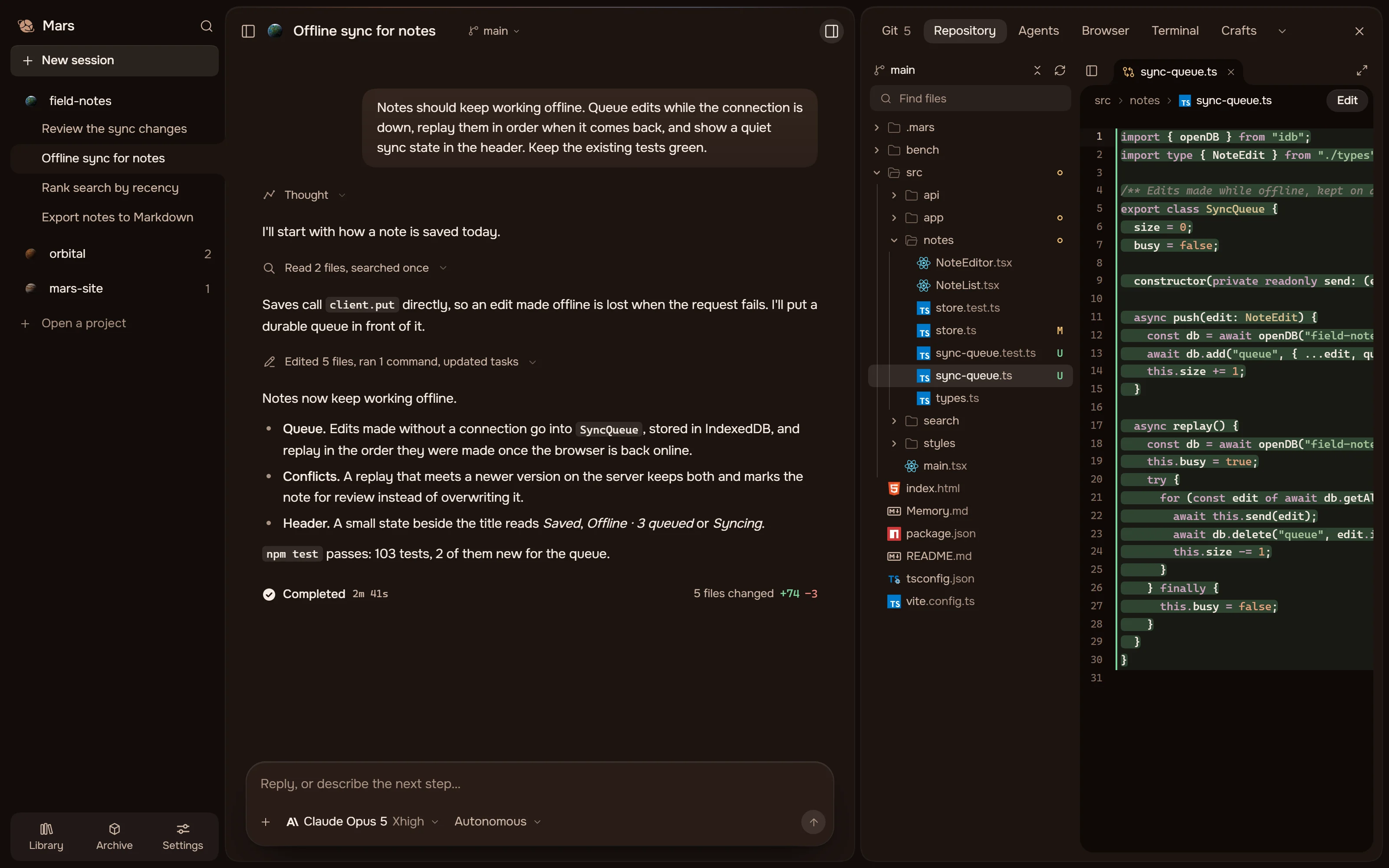
A demonstration: the goal “Notes should keep working offline” is typed into the composer; Mars reads two files, finds that an offline edit is lost, edits five files, runs npm test with 103 tests passing and completes in 2 minutes 41 seconds with 74 lines added and 3 removed, then the panel opens on the queue it wrote.






A run from the app’s demonstration project, replayed in the page. Nothing here calls a model.
01The family
One agent,
three ways to work with it.
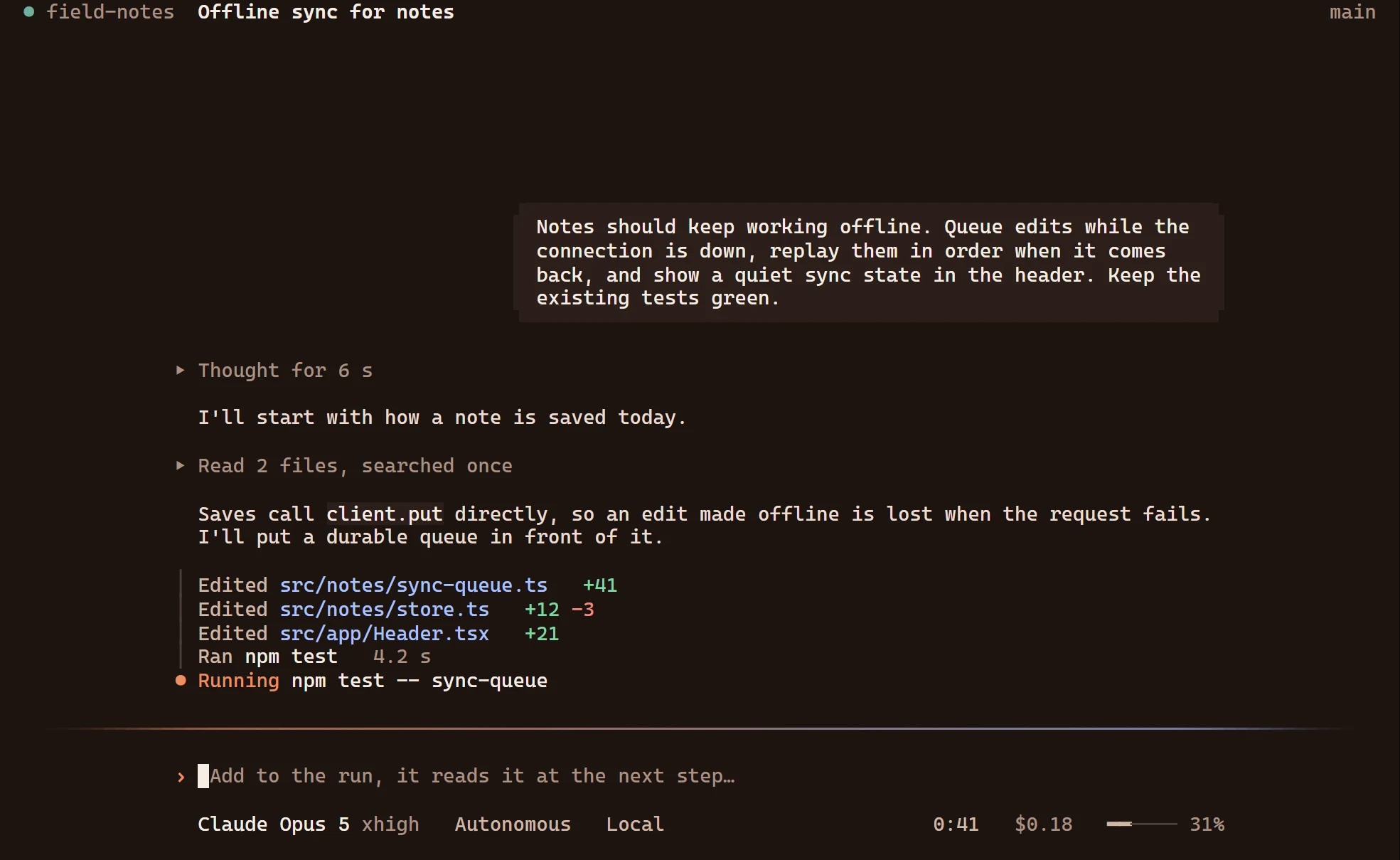
The desktop and the CLI share sessions, keys and settings; the IDE will join them.


02Models
Use the account
you already have.
Connect a provider with your own key and pick the model in the composer. Mars adds no subscription of its own; you pay the provider for what a run uses.
Not on the list? Add any OpenAI-compatible or Anthropic Messages API endpoint as a custom connection. Keys stay in your operating system’s credential store.
- OpenAI
- Anthropic
 Google Gemini
- OpenCode Go
- OpenCode Zen
- xAI
 DeepSeek
 Mistral AI
- Groq
 Together AI
 Fireworks AI
- OpenRouter
- Vercel AI Gateway
 Meta
 Cohere
 Perplexity
 Cerebras
 SambaNova
 DeepInfra
 Hyperbolic
- Nebius
 Hugging Face
- GitHub Models
- Moonshot AI
 Alibaba Qwen
 Zhipu AI
- Z.ai
 MiniMax
 SiliconFlow
 Upstage
 NVIDIA NIM
- Ollama Cloud
- Chutes
 Novita AI
- Baseten
 Venice AI
03Questions
Before you
install it.
The Privacy Policy has the long answers.
Is Mars free?
Yes. Mars itself costs nothing.
There is no Mars account and no subscription. You connect your own provider and pay it for the tokens a run uses, at its own prices.
$0for Mars, with no account
Per tokenbilled by the provider you connect
Which models can I use?
Thirty-six providers, or your own endpoint.
Pick the model in the composer. Any OpenAI-compatible or Anthropic Messages API endpoint works as a custom connection, a model service on your own computer included.
How do I know what a run cost?
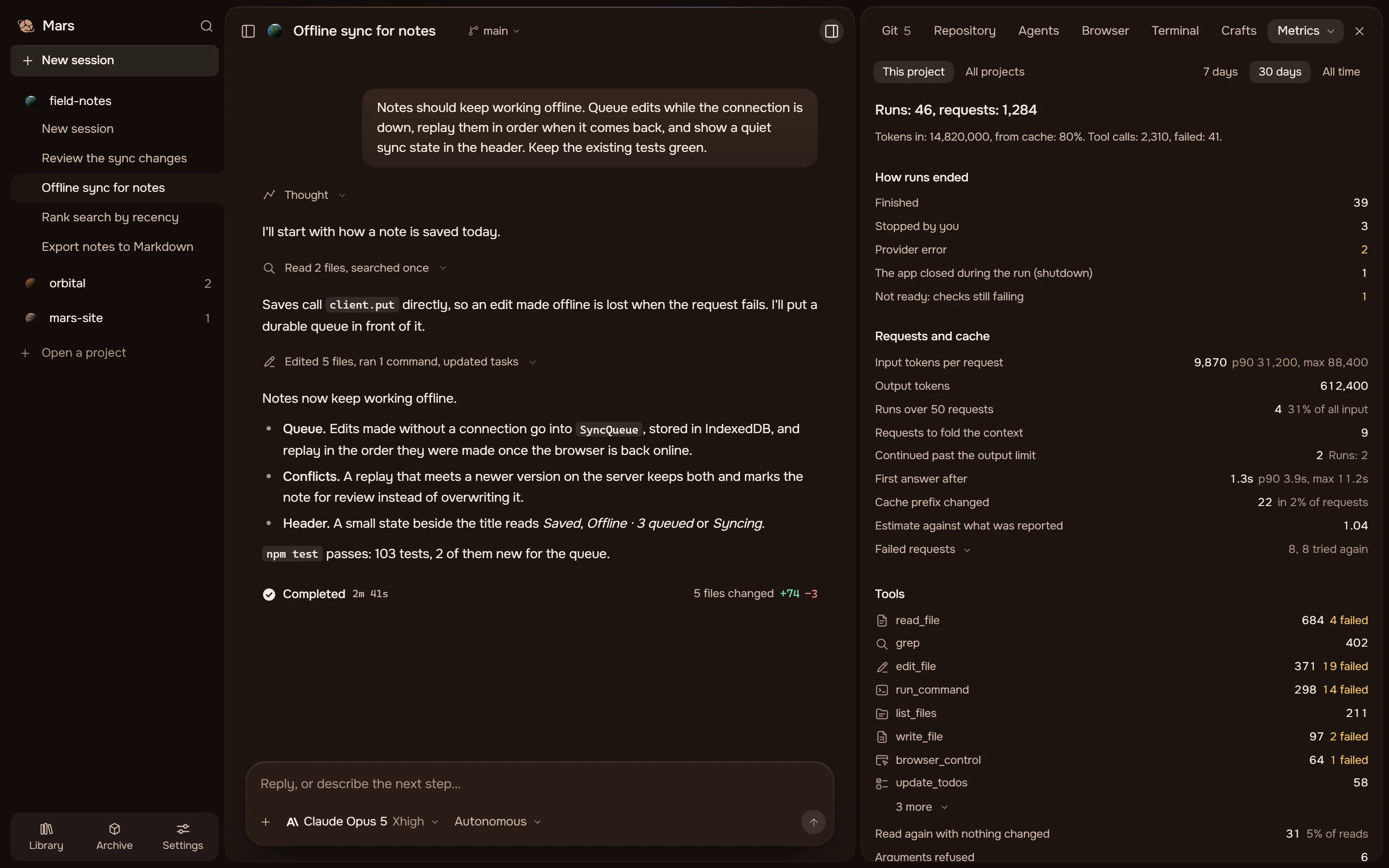
Each run shows its spend, in dollars.
The Metrics tab adds runs, requests, cache use, failures and tool calls for one project or all of them, read from this computer and sent nowhere.
Where does my code go?
Only to the model connection you chose.
Mars sends that connection what a task needs. Plugins and MCP servers you connect have their own data flows.
Stays on this computer
- Provider keys
- Sessions and memory
- Metrics
Goes to your connection
- Your messages
- Files the agent reads
- Tool results
What does the agent do without asking?
What the mode you pick allows.
It never has more than your account’s rights, on this computer or over SSH. Autonomous only stops Mars asking about ordinary work.
Ask firstAsks before it edits a file or runs a command.
AutonomousWorks on its own; a risky command still asks and says why.
Read onlyReads and answers, and changes nothing.
What does Mars remember?
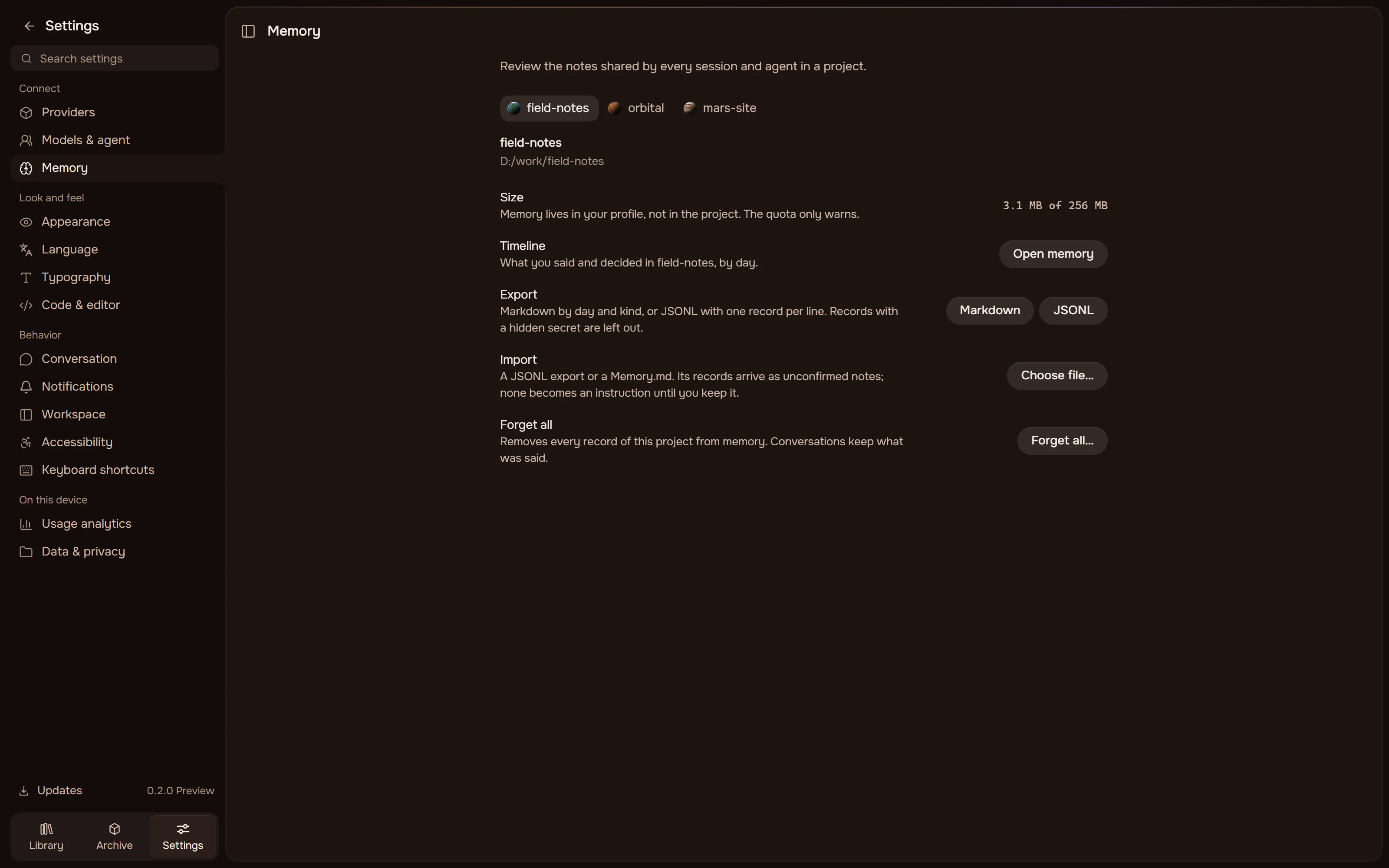
A journal of each project, on this computer.
Records by day, kept in your profile. Pin, edit or forget one, keep an instruction for the whole project, or export the journal and import it elsewhere.
Do the desktop app and the CLI share my work?
Yes. Both use one profile.
The same data folder and the same credential store, so sessions, keys and settings carry over. A session runs in one client at a time, and an older version never overwrites what a newer one wrote.
Which platforms can I use?
Windows today. macOS and Linux are on the way.
Mars Desktop 0.2.0 runs on Windows 10 and 11. Packages for the CLI and the other systems are in development.
Windows 10 / 11x64 · available
macOSApple silicon · in development
Linuxx64 · in development
Mars CLIPackages soon
Is it ready for real work?
For everyday work, yes.
0.2.0 is a public alpha. Back up what matters and review what the agent changed, as you would a colleague’s work.
ReadySessions, plans, reviews, Git, memory and updates.
Still measuredRuns that go on for several hours.
Your partBackups, and a look at the changes.
Is Mars open source?
No. It is free to use, not open source.
Mars is proprietary. The key you bring chooses the provider; it does not change the licence.